
You can now upload and use your own custom fonts directly in the Gelato Design Editor. This gives you more control over your brand identity and allows you to create truly unique designs for your products.
Who can use custom fonts?
All customers can upload and use their own fonts in the Design Editor.
You will only see your own uploaded fonts in your account.
Supported font formats
You can upload fonts in the following formats:
.TTF.OTF
Other font formats are not supported at the moment.
How to upload a custom font
Go to Create and open any product in the Design Editor.
Add or select a text element.
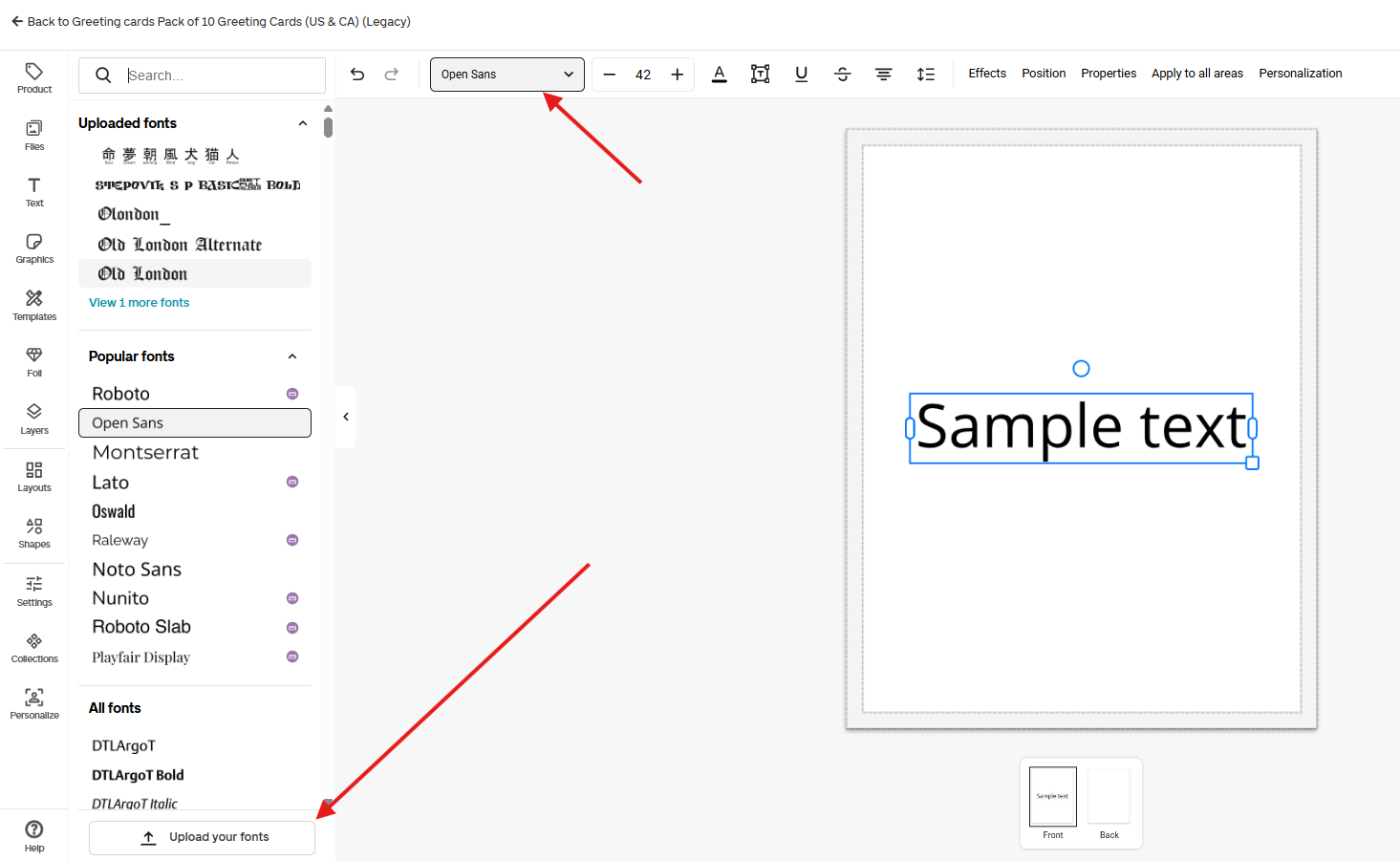
Click on the font style dropdown button on the top of the page to open the left hand panel with the list of all fonts.
Scroll to the bottom and select Upload your fonts.
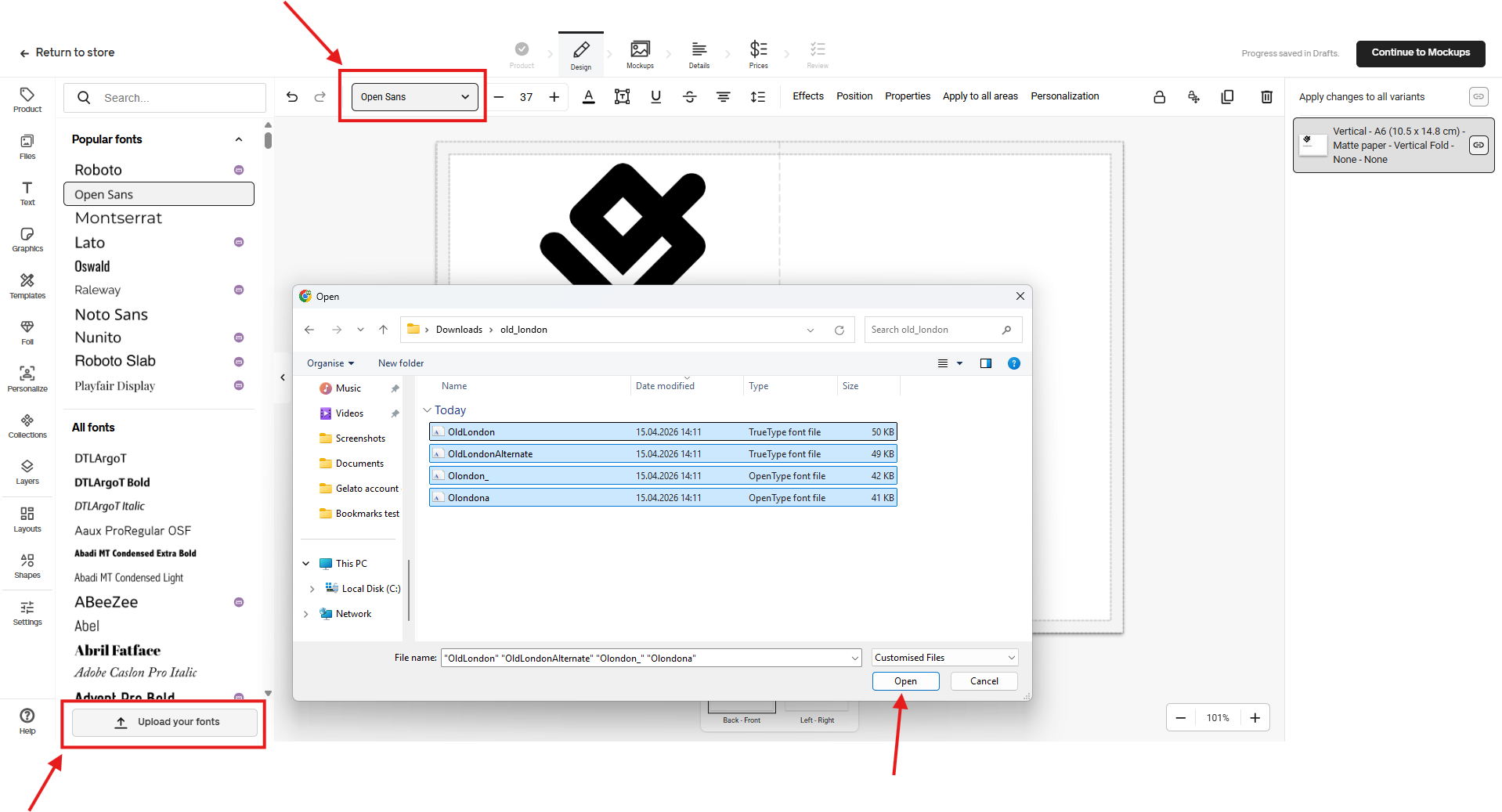
Choose one or more font files from your computer.
Confirm that you have the legal rights to use the font.
(Optional) Mark the font as Protected (see below).
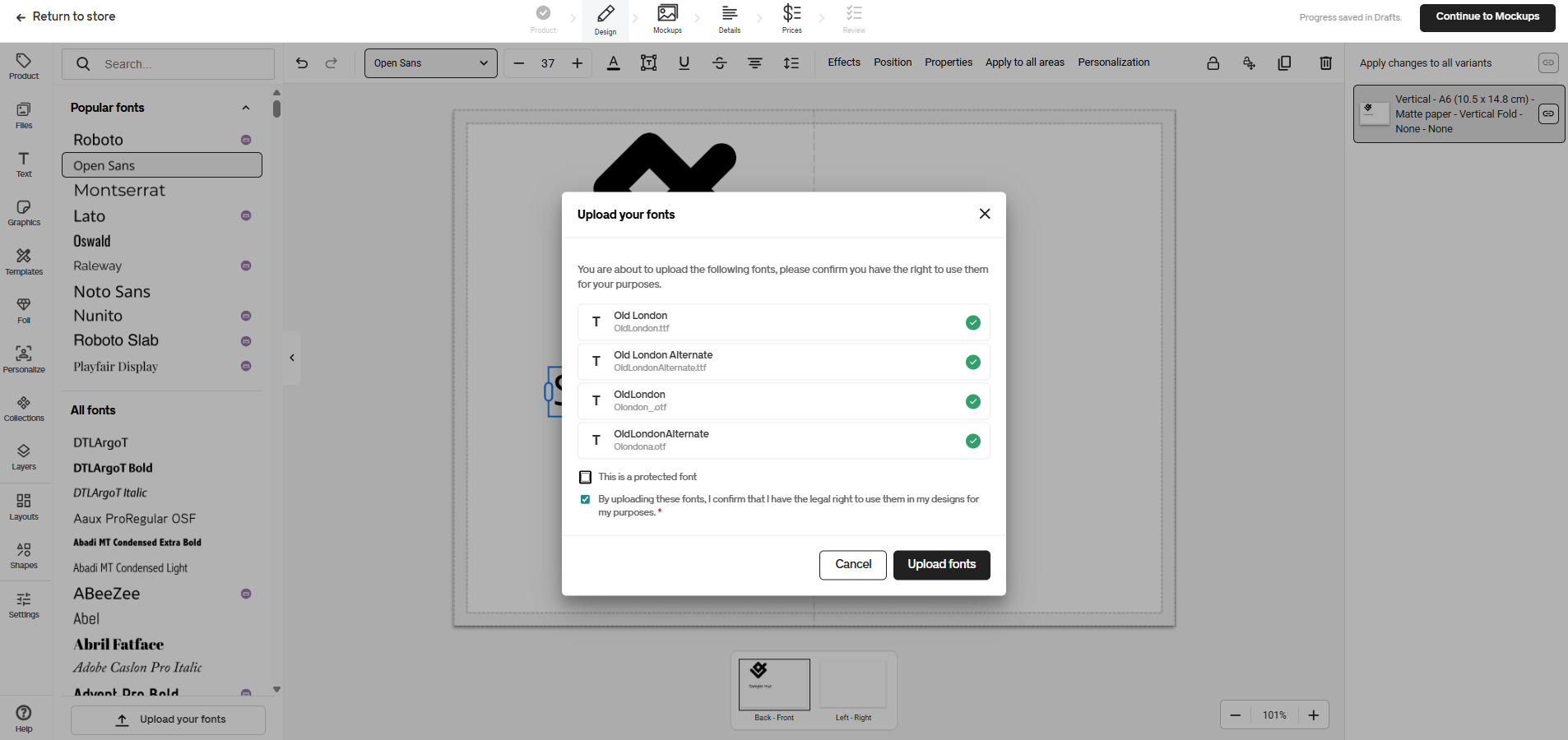
Click Upload fonts.
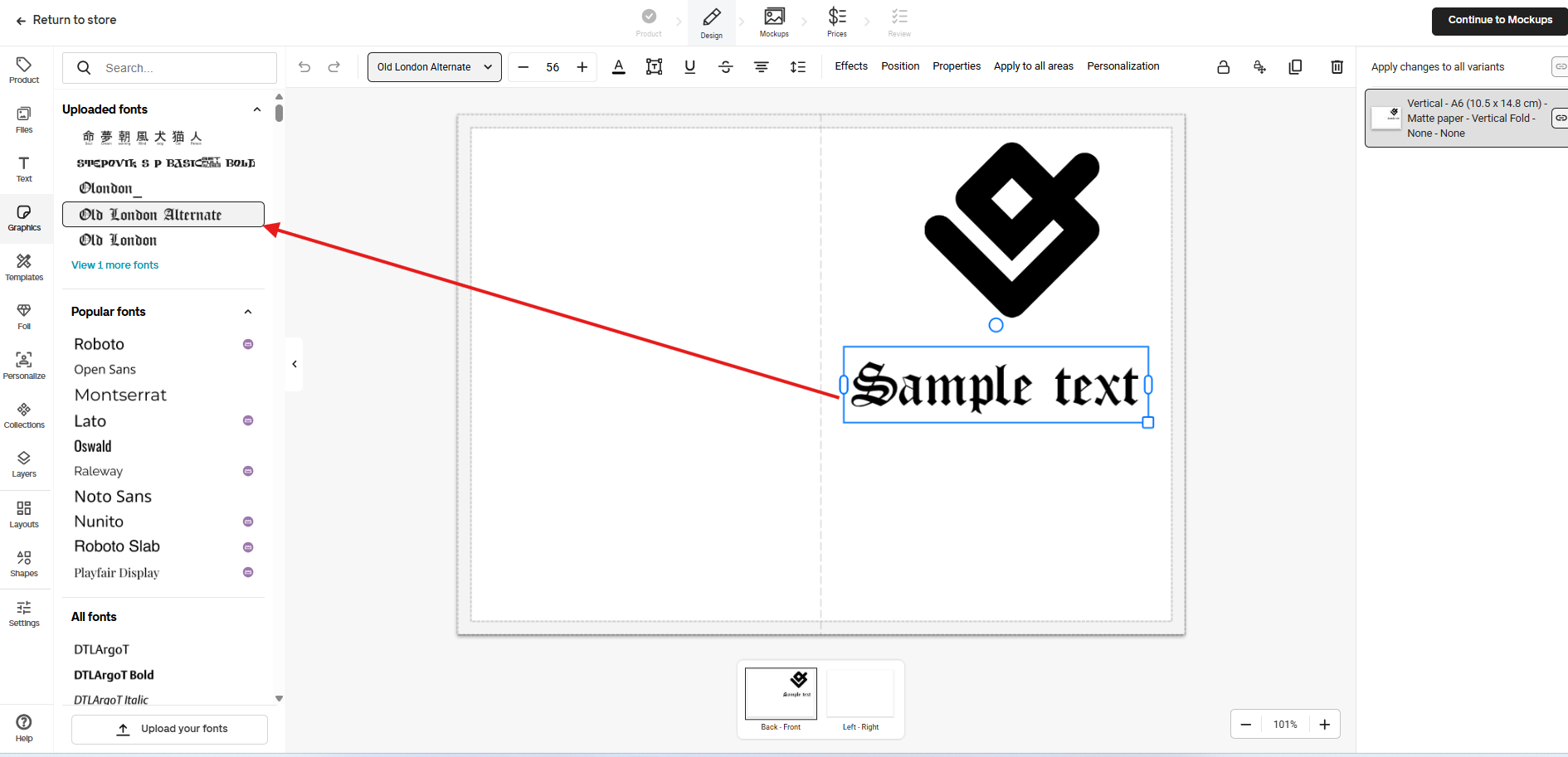
Once uploaded, the font becomes immediately available in the editor and can be reused across products. You uploaded fonts are always listed on the very top of the list.
Protected vs. non-protected fonts
When uploading a font, you can choose whether it should be protected.
Non-protected fonts
Font files are loaded directly in the browser.
Text updates are instant and smooth.
Best choice for freely licensed fonts or fonts you don’t need to restrict.
Provides the fastest and most responsive editing experience.
Protected fonts
Font files are not downloaded to the browser.
Text previews are rendered securely on the server.
Prevents others from accessing or extracting the font file.
Editing feels slightly slower, with brief loading pauses (similar to embroidery previews).
Protected fonts are ideal for licensed, premium, or brand-exclusive fonts where file security is important. Protected fonts are shown with a padlock icon in the font list.
Important legal notice
When uploading a font, you must confirm that:
You own the font or
You have the correct license to use it for commercial and design purposes.
Gelato does not verify font licenses on your behalf.
Current limitations and things to keep in mind
Each account owner only sees its own uploaded fonts.
The fonts will be visible during the editor personalization for end customers.
Duplicate font uploads may trigger warnings.
Deleting uploaded fonts is not available at the moment and may be added in the future.
Protected fonts trade a slightly slower editing experience for stronger font security.