

Assigning Locations to SKUs
Organizing your Stock Keeping Units (SKUs) within your warehouse ensures you always know where everything is:
Default Location: When a new SKU is added to the system, it's automatically placed in an "unassigned" storage location. This means it hasn't been given a specific area yet.
Determine Correct Locations: Refer to your warehouse map to decide the best storage or production location for each SKU.
Transfer Inventory: To move an SKU to its designated location, transfer it from the "unassigned" location. You can do this easily through the GelatoConnect system.
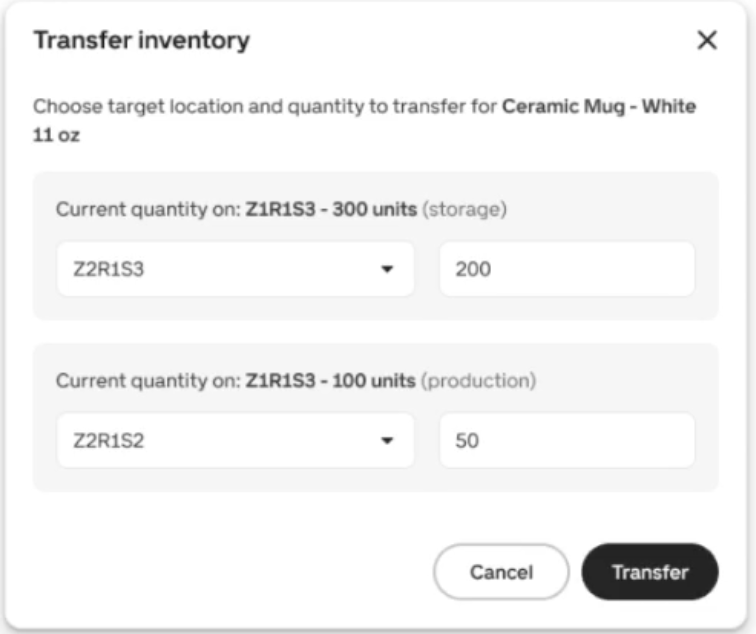
Confirm Assignment: Double-check that the SKU is now listed under the correct location in your inventory system. This ensures accurate tracking.
Next Step: