

This guide shows the fastest way to get help, when to use chat vs. issue reporting, and how to share the right details so your request reaches the best team on the first try.
Pick the right support path
For quick answers
Start in the Help Center. Search by keywords like “inventory”, “packaging”, or “shippiing”. Most how-tos and FAQs are already covered with step-by-step guidance.
For guidance or how-to questions
Use chat. Click Chat with us from the Support icon in the top-right of the GelatoConnect Dashboard or the GelatoConnect mobile app.
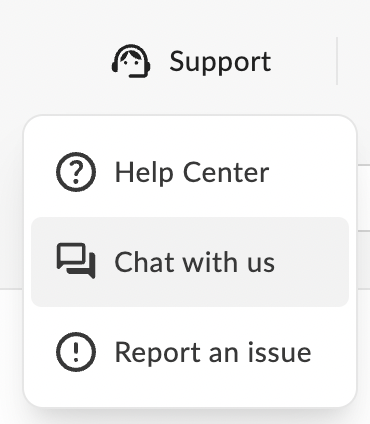
You can also open chat from the Help Center using the chat icon in the bottom-right.

For anything broken or order-specific
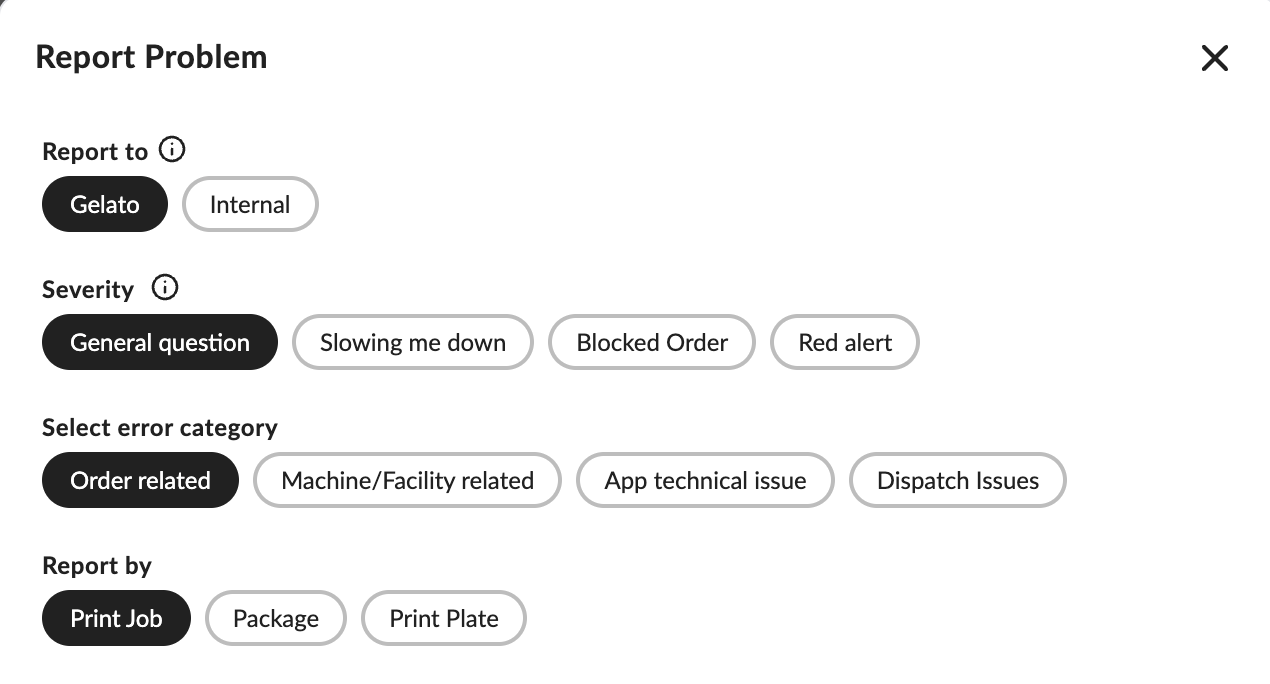
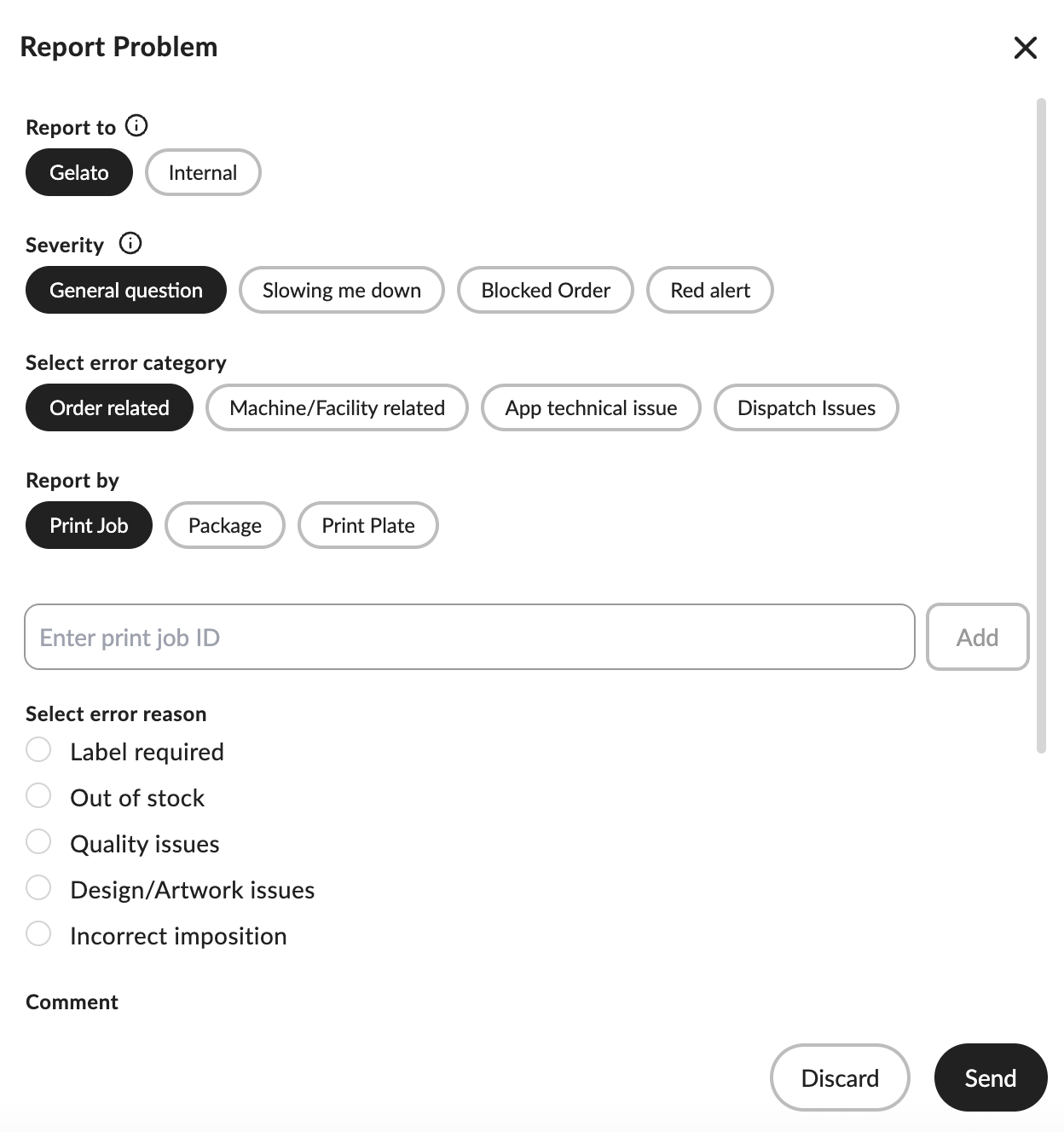
Use Report an Issue so your case routes directly to the right specialists. This ensures all context is captured and speeds up resolution.
Use the Help Center effectively
Search using clear terms that match your task or error wording.
Open the top suggested articles and follow the steps.
If an article solves it, you’re done. If not, move to chat or issue reporting with the details you gathered.
Chat with us
Open Chat with us from the Support icon in the Dashboard or mobile app, or tap the chat bubble in the Help Center.
The chatbot answers common questions and how-tos. If your question needs a person, it will connect you to Customer Service.
For the fastest help, start with the chatbot first.
Report an issue for order or production problems
Where to find it
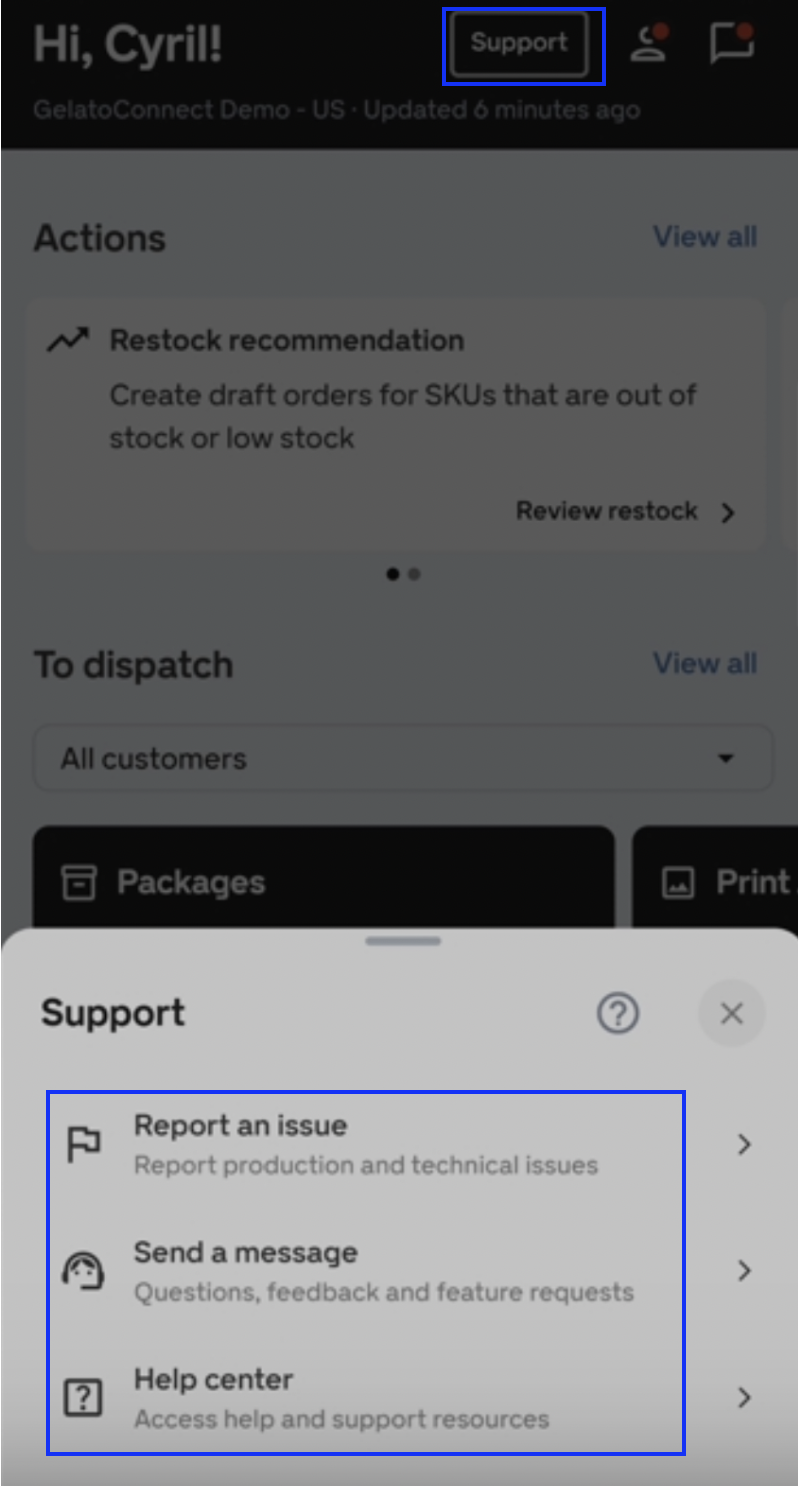
Mobile app: Tap Support in the top-right, then Report an Issue.
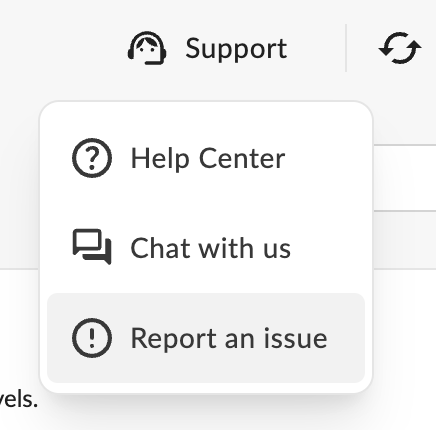
Desktop: Click the Support icon in the top-right of the GelatoConnect Dashboard, then Report an Issue.
What to include
The most relevant identifier: print job number, plate number or package number.
A clear reason e.g.: label error, out-of-stock item, quality issue, design issue, etc.
A concise description of what happened and what you expected to happen.
Images or screenshots that show the problem.
How to submit
Choose the best-fit category (order issues, print job issues, package issues, and more).
Select how you’re reporting (by print job number or package number).
Pick a reason, add your description, attach images, and submit.
Your report goes straight to Gelato’s technical support team for fast processing.
Choose the right severity
Selecting the correct severity helps us prioritize fairly and resolve faster.
General question — You need clarification. Not urgent.
Slowing me down — Something isn’t working as expected, but you can still continue working.
Blocked Order — One or more orders can’t be sent, but it’s not a widespread outage.
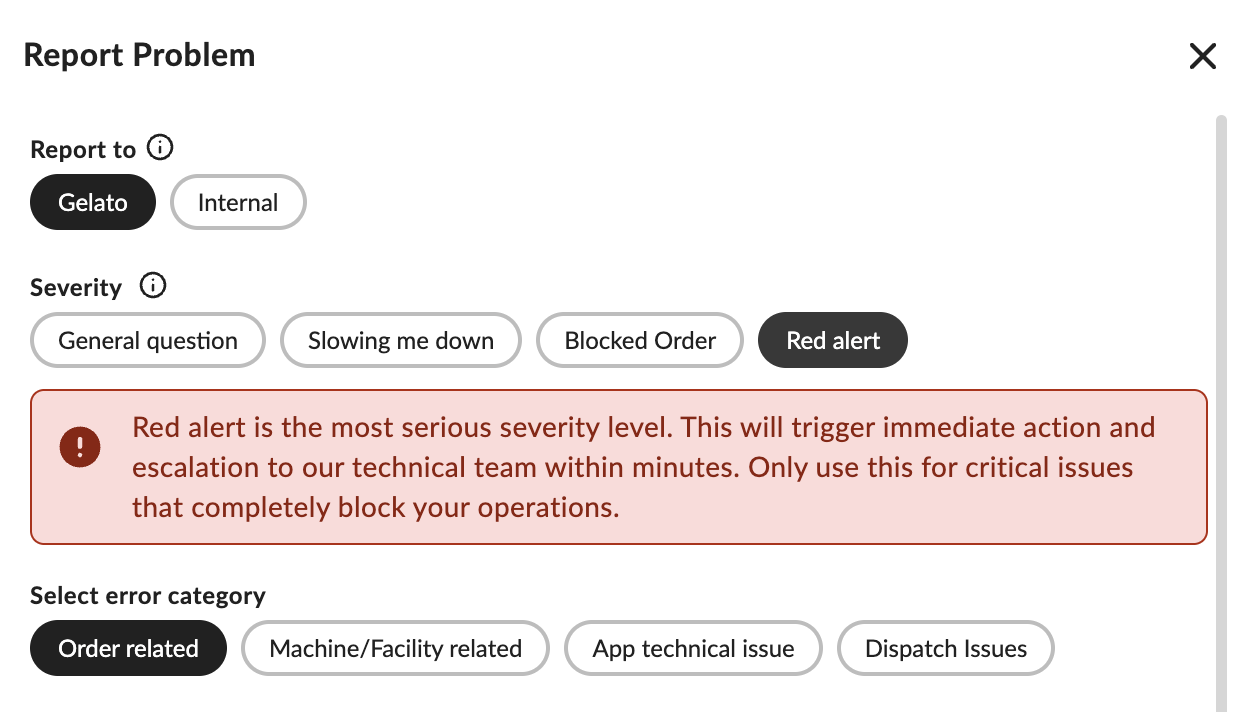
Red alert — A critical issue stopping production or blocking core functionality. Triggers immediate attention.
Use Red alert only when a core function is completely blocked, for example:
Orders aren’t being received.
You can’t produce, package, or dispatch.
The system is down and preventing essential workflows.
Avoid choosing Red alert for minor or non-critical issues.
Tips for faster resolutions
Keep one topic per request so it routes cleanly.
Use exact names, IDs, and timestamps where possible.
Attach a clear photo or screenshot of the error or outcome.
Tell us what you’ve already tried to avoid duplicate steps.
If the same issue affects multiple packages, please report them together in one ticket instead of submitting separate reports. This helps our team process your request faster and keeps communication clear.
FAQs
Should I chat or report an issue?
Use chat for guidance, how-tos, and general questions. Use Report an Issue for anything broken or tied to a specific order, print job, or package.
Where is chat located?
In the Dashboard and mobile app, open the Support icon in the top-right and choose Chat with us. In the Help Center, use the chat bubble in the bottom-right.
Do I need images?
Images aren’t mandatory but they significantly speed up troubleshooting for quality, packaging, and label issues.
What if I picked the wrong severity?
No worries—tell us in the conversation or update your report. We’ll adjust the priority accordingly.