
This step is where you configure the foundation of AI-Estimator — your machines, substrates, products, and business rules. Everything lives in one place: the Estimate Setup page inside GelatoConnect.
The configuration process is AI-assisted. Using the AI Configurator, you can upload your existing data and let the AI agent handle the heavy lifting. What traditionally takes 12 to 24 months when migrating between MIS systems can be completed in days — with fewer errors and less manual effort.
In this article, we'll cover what Estimate Setup and the AI Configurator are, how they work together
(Video) Walkthrough: Estimate Setup and AI Configurator
What is Estimate Setup?
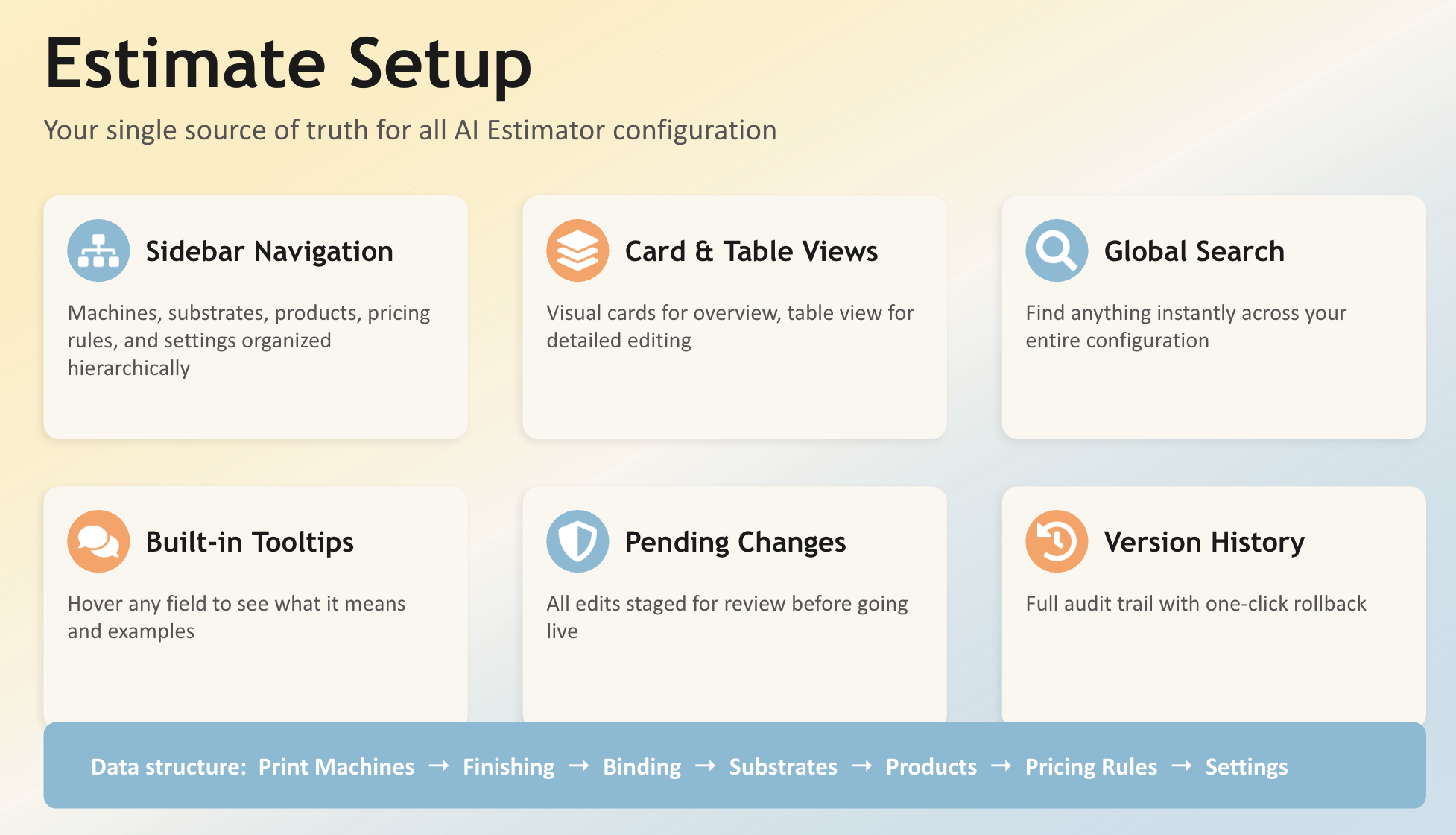
Estimate Setup is the single place where all AI-Estimator configuration lives inside GelatoConnect. You'll find it in the left-hand menu under "Estimate Setup."
It replaces the previous workflow of editing Google Sheets and syncing through the Estimate Configuration page. Everything is now in one unified interface with built-in AI assistance, version history, and a structured editing workflow.
Key Features
Sidebar Navigation, Card & Table Views, and Global Search. Navigate your configuration using a structured sidebar, switch between card-based and table-based layouts, or use global search to find any item instantly across the entire database. For example, if you need to edit a specific press, just search for it by name and click through.
Built-in Tooltips. Every parameter in Estimate Setup has a detailed tooltip explaining what the field is for, what values it accepts, and the unit of measure. This means you always have context on how the data you enter impacts calculations — without leaving the page.
Pending Changes and Apply/Discard Workflow. Any change you make goes into a review queue before it goes live. You'll see the Pending Changes tab light up, and you can review exactly what changed, edit it further, apply it, or discard it. This gives you full control — no accidental changes affecting live estimates.
Version History. Every applied change is tracked with a full audit trail. You can see which user made what changes and when, and reload a previous version if needed.
Units of Measure
Your account is pre-configured based on your region. If you're using the metric system (mm, GSM), the entire system is set up around metric. If you're in the US or Canada, the system is automatically set to imperial (inches, LB). This is built in — no manual configuration needed.
What is the AI Configurator?
The AI Configurator is a conversational AI agent built directly into the Estimate Setup page. It's your MIS admin's best friend — designed to help you configure, migrate, and maintain your setup using natural language.
What It Can Do
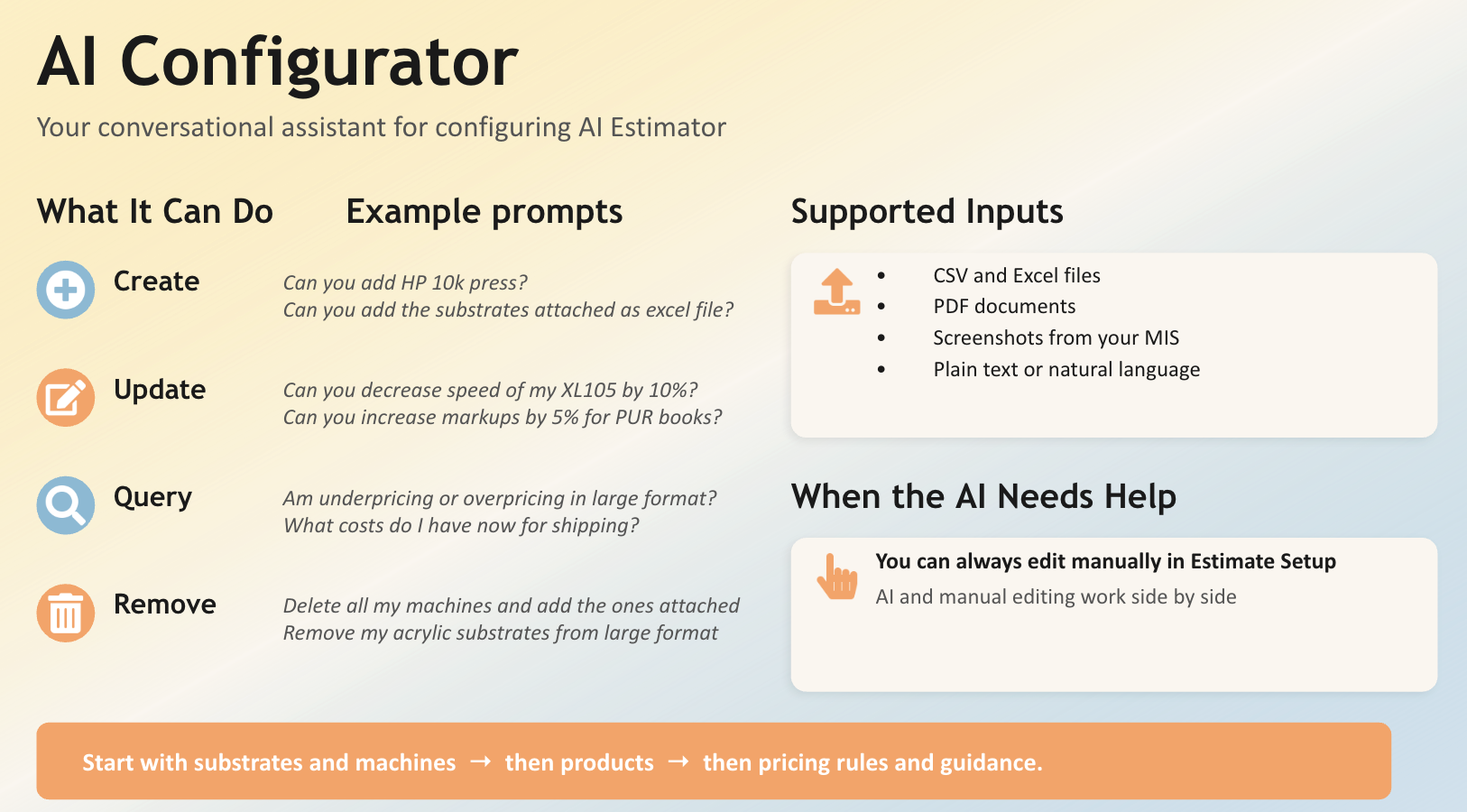
The AI Configurator supports four core actions:
Create — Add new machines, substrates, products, or any configuration item. You can describe what you need in plain language, or upload a file and let the AI import it.
Update — Modify existing configuration. Ask it to change a machine rate, update substrate pricing, or bulk-edit finishing steps.
Query — Ask questions about your current configuration. For example: "Am I underpricing or overpricing my large format products? What should I change?" The AI will analyze your setup and come back with specific recommendations.
Remove — Delete items from your configuration through conversation.
Supported Inputs
You don't have to type everything manually. The AI Configurator accepts:
Excel and CSV files (e.g., paper inventories, machine lists, pricing tables)
PDF documents (e.g., MIS exports, equipment spec sheets, supplier price lists)
Screenshots (e.g., captured from your current MIS or supplier portals)
Plain text (e.g., copied data, notes, informal lists)
For example, you can drop a file with 200+ substrates and say "add these substrates." The AI will parse the file, handle messy formatting, remove duplicates, and import everything into the system — ready for your review before applying.
How It Works
Every action the AI Configurator takes goes through the same Pending Changes review workflow. Nothing is applied automatically. The AI creates a plan, executes it step by step, and queues the results for your approval. You always have the option to apply, edit, or discard.
The AI Configurator is trained on thousands of data points from the print industry and is aware of how AI-Estimator expects data to be structured. If you don't provide specific values, it will use industry knowledge and best practices to suggest defaults — which you can then adjust.
How Estimate Setup is Structured
The configuration in Estimate Setup follows a logical order that mirrors how you should set things up:
Machines — Start with your printing presses (offset, digital, large format), then configure your finishing machines (cut, fold, crease, laminate, spot finish, and more). Binding machines (saddle stitch, perfect bind, wire-o, case making, pad glue) have their own dedicated section. Price Models allow you to define custom costing formulas for any machine.
Substrates — Configure your paper and large format substrates with prices, sizes, weights, and coatings. Link substrates to compatible machines using tags.
Product Categories — Define your product categories with their production workflows, default finish sizes, color settings, imposition rules, and bleed. The more configuration you do upfront, the smarter and faster AI-driven estimation becomes.
Pricing & General Settings — Set your currency, unit of measure, quote letter templates, pricing rules, and general system settings.
This is also the recommended order for Steps 3.1, 3.2, and 3.3 — machines and substrates first (since they establish cost centers), then products and pricing logic, and finally estimate configuration like pricing rules and templates.
Next Steps
Step 3 is divided into three substeps. Follow them in order: