
This article introduces the Next-Generation Imposition Editor, a powerful tool designed to enhance the efficiency and flexibility of print operations. It provides an intelligent interface for creating, managing, and scaling imposition templates, ensuring a seamless experience for print partners.
Key Features of the Imposition Editor
The Next-Generation Imposition Editor comes equipped with several innovative capabilities that streamline the imposition process:
Real-Time Live Preview
Visualize layout changes, press settings, orientation, and job parameters instantly, ensuring confidence before production starts.Template creation using Gelato standard (Master) templates
Gelato has over 60 ready-to-use templates under “Gelato Templates” section in the imposition dashboard which can be used to onboard your products and test the imposition in matter of minutes.Dynamic Template Updates
Modify existing templates easily by adjusting variables, press specifications, or job attributes without the need to recreate templates from scratch, allowing for quick iterations and long-term maintainability.Support for Complex Press and Post-Press Setups
Configure templates to meet specific machine constraints, such as guillotine cuts, duplex rules, stack direction, or rotary die cutting, ensuring accuracy from print to finishing.Smart Variable Handling
Utilize global and job-level variables to create reusable templates across different product types, quantities, or substrate changes, making it ideal for automation and workflow integration.Guided UX with Modular Steps
A user-friendly left-panel layout breaks down the imposition process into modular steps (pages, batch sheets, cut lines, transforms, etc.), simplifying the creation of even complex flows.Asset Library
Upload your own assets like images, artworks, or any other files to be used in any of your imposition templates under "My Library" section. You can also leverage the Gelato assets which come with over 200 ready-to-use icons and images.AI Assistant
The new AI chat feature allows you to converse in natural language and ask questions regarding the imposition editor. You can also get to see the suggestions made by the assistant for your specific imposition needs.Template Versioning and Auditability
Maintain backward-compatible templates with comprehensive version control and logging, ensuring that changes do not disrupt live workflows.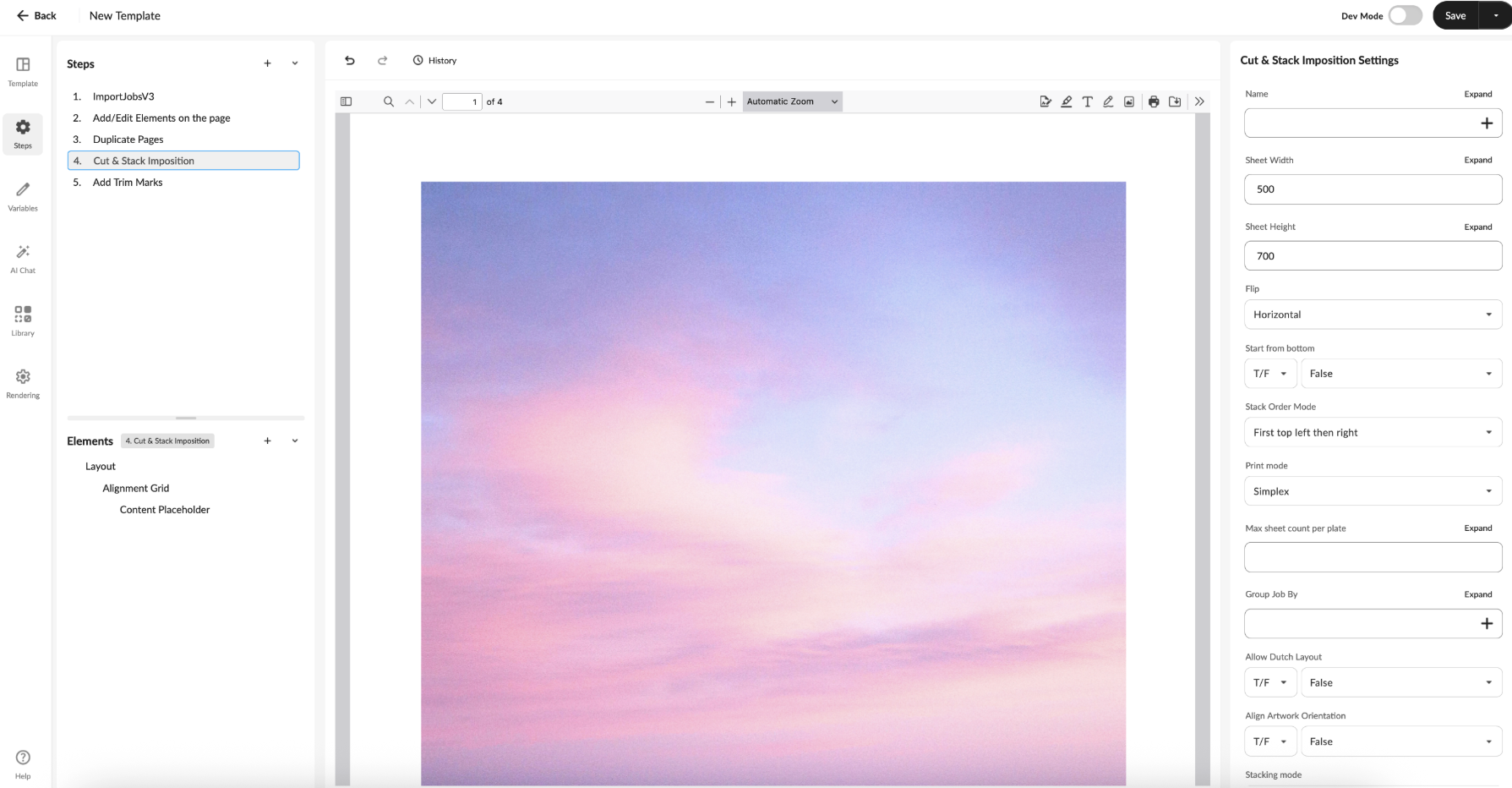
The Next-Generation Imposition Editor is not merely an upgrade; it serves as a future-ready foundation for smarter, faster, and more flexible production across your global network.
Frequently Asked Questions
What is the main benefit of the Next-Generation Imposition Editor?
It provides a self-serve interface that allows print partners to create and manage imposition templates efficiently, enhancing production flexibility.Can I modify existing templates?
Yes, the editor allows for dynamic updates to existing templates without the need to start from scratch.How does the real-time preview feature work?
The feature enables users to see changes in layout and settings instantly, helping to ensure accuracy before production begins.