

There are products that naturally have multiple pages, like books, calendars, and brochures, and then there are other types of products, like table cards, where each card has one guest’s name and a set of 10 cards with unique photos on each.
For the second type of products, you can accept a variable number of pages from your customer by using the attribute ´variable´. It is available on product models for flyers, posters, business cards, and flat products.
Note that the below doesn’t apply to photo books, books, brochures, and calendars.
To be able to secure effective imposition and batching with other orders and items, the PDF file that is provided should contain:
Each unique page with content
One additional page. This page can be blank or have content on it. It will be repeated for any additional items that will be produced to maximize the efficiency of the batching & imposition.
To place an order with a variable number of pages, you should set the quantity to the number of pages the customer ordered. The PDF file should contain 1 additional page.
Example:
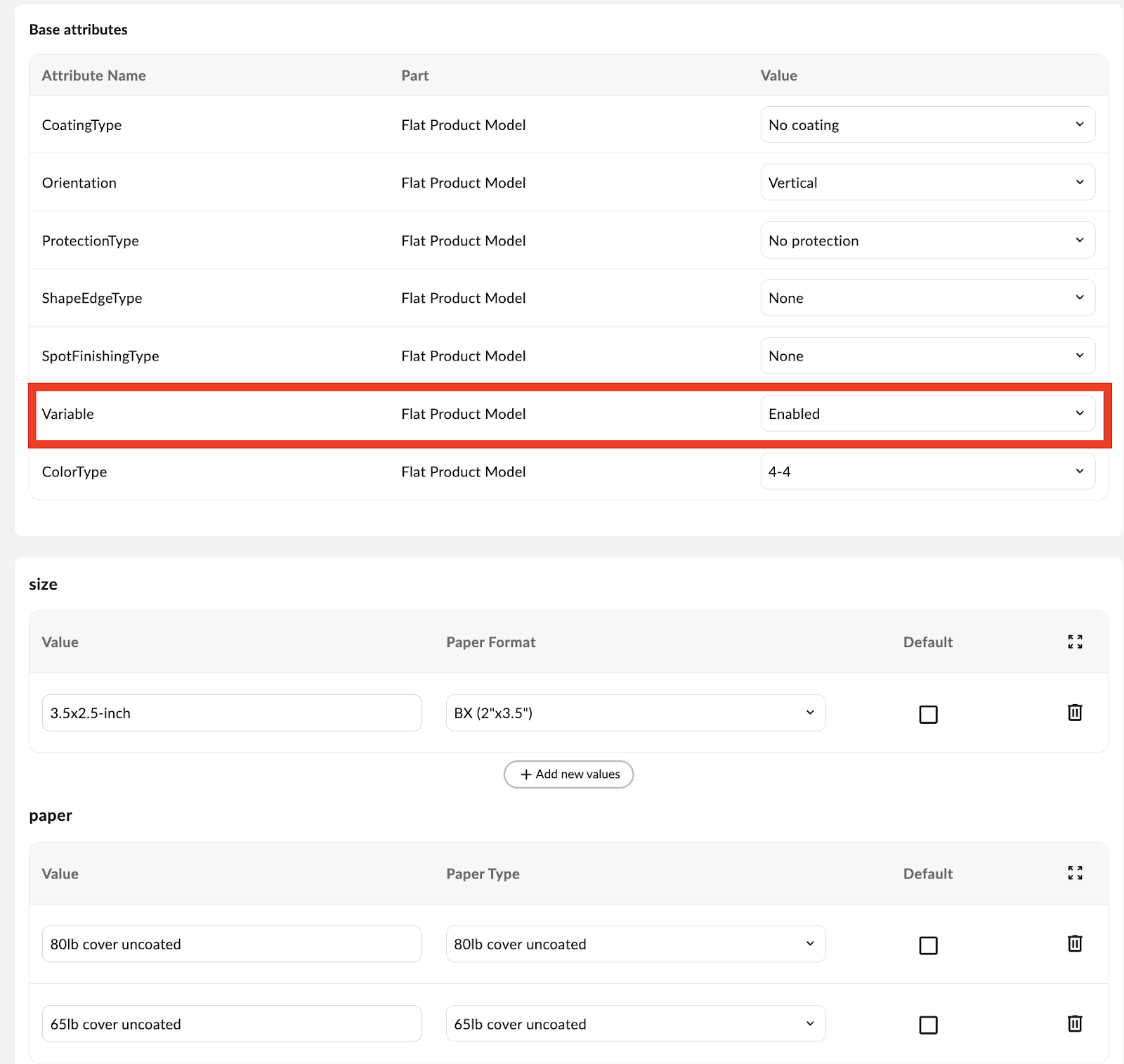
A customer wants to order 72 place cards where each card has a unique name on it. The place cards are set up as a customer product with the name “place-cards” and attributes “size” and “paper”. The attribute “Variable” is set to “Enabled”.
The product is configured as per the image below. Note the variable attribute being set to ‘Enabled’.
The customer sends you the correct product information and provides a file with 73 pages. The first 72 pages have unique content on each. The 73rd page has generic content, as that can be produced multiple times (for efficiency purposes).
"items": [
           {
               "itemReferenceId": "variable place-cards",
               "productName": "place-cards",
               "productVariant": {
                   "size": "3.5x2.5-inch",
                   "paper": "80lb cover uncoated"
               },

               "files": [
                 {
                   "type": "default",
                   "url": "https://www.fileurl.com/placecards.pdf"
                 }
               ],
               "quantity": 72
           }
       ]