What is cloud-based print management?
Cloud-based print management is the use of internet-hosted software platforms to control, automate, and monitor all aspects of print production operations — from order intake and job scheduling to procurement and logistics. Unlike legacy on-premise systems installed on local servers, cloud platforms deliver real-time data access from any location, automatic software updates, and the ability to connect seamlessly with supplier networks, logistics partners, and customer portals. Print businesses using cloud-based print automation tools report operational efficiency improvements of 5 to 30% compared to businesses running legacy, on-premise management systems.
The on-premise print management system was the standard for three decades. Software lived on a server in the building, updated annually if you were diligent, and was accessible only from machines physically connected to your network. For a print shop running a single location with a stable product mix, this worked. For print businesses trying to scale, add locations, connect with global supplier networks, or give customers real-time job visibility, it became an operational anchor.
Cloud-based print management removes that anchor. This guide covers what the transition looks like, what it delivers, and how to evaluate whether the move makes sense for your operation.
The core limitations of legacy print management systems
Legacy on-premise print management software was not poorly designed. It was designed for a different operating environment. The problems that make it limiting today are structural, not easily fixed by updates.
Data silos. When systems live on local servers, sharing data between your MIS, your production floor, your procurement team, and your logistics partners requires manual exports, email attachments, or custom integrations that break with every software update. The operational picture is always assembled after the fact from multiple incomplete sources.
Access constraints. Remote work, multi-site operations, and traveling sales teams all require off-site system access. VPN solutions and remote desktop connections to on-premise systems are slow, unreliable, and create security complexity that IT teams struggle to maintain.
Integration rigidity. Legacy systems were built before API connectivity was standard. Connecting them to modern platforms — an e-commerce storefront, a logistics partner's tracking system, a supplier's ordering portal — typically requires expensive custom development work.
Update and maintenance overhead. On-premise software requires internal IT resources or vendor support contracts to update, maintain, and troubleshoot. Every major version update is a project in itself, with testing, data migration, and staff retraining requirements.
What cloud-based print automation tools deliver
The structural shift to cloud-based management changes what is operationally possible for print businesses.
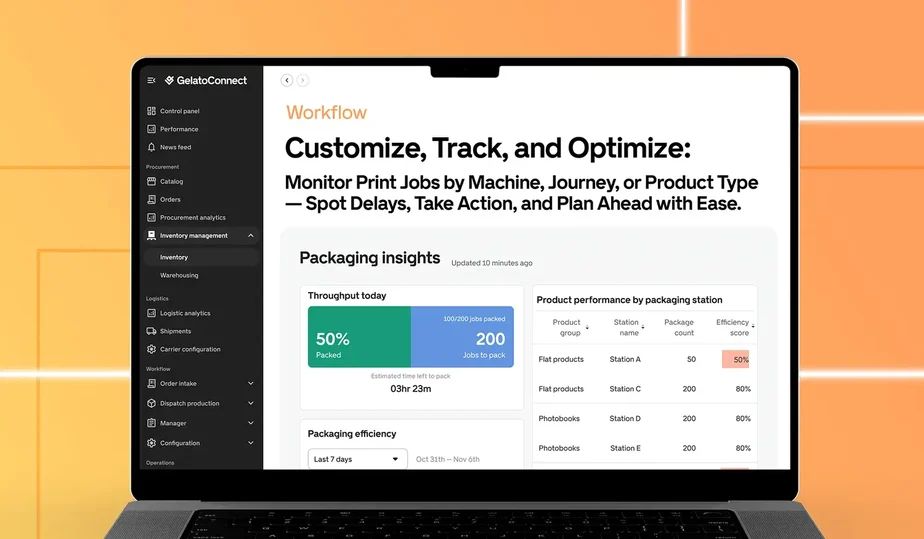
Real-time operational visibility. When production data lives in the cloud, every member of your team sees the same current picture — regardless of location. Production managers, sales teams, and customer service all operate from the same job status, inventory level, and dispatch timeline. The result is fewer internal coordination calls and faster, more accurate customer communication.
Automatic updates and zero maintenance. Cloud platforms update continuously. New features deploy automatically, security patches apply without IT involvement, and infrastructure management is entirely off your plate. GelatoConnect eliminates maintenance for legacy systems entirely for businesses that migrate to the platform.
Native integrations. Modern cloud platforms are built around APIs, making connections to e-commerce platforms, logistics partners, and supplier networks straightforward and reliable. GelatoConnect integrates with more than 60 logistics partners and 140 production partners out of the box — integrations that would require months of custom development to replicate with legacy software.
Scalability without infrastructure investment. Adding a new location, onboarding a new sales channel, or accommodating a seasonal production spike does not require hardware procurement or server capacity planning. Cloud platforms scale with your demand automatically.
The efficiency case for cloud print management
The operational efficiency gains from moving to cloud-based print management tools compound across multiple dimensions.
Eliminating manual data transfer between disconnected systems removes a consistent source of error and administrative overhead. Businesses that previously spent production management time reconciling data across MIS, procurement, and logistics systems reclaim those hours for production oversight.
Real-time visibility reduces both the frequency and duration of production disruptions. When a bottleneck appears in the scheduling dashboard, it can be addressed in minutes rather than discovered hours later when a deadline is already at risk.
The 5 to 30% efficiency improvement cited by GelatoConnect customers is not the result of a single feature. It is the cumulative effect of eliminating administrative friction across every stage of the production cycle.
What to evaluate when selecting cloud print management software
When assessing cloud-based print automation tools, the key questions are: Does the platform cover your full operational scope (procurement, workflow, and logistics), or is it a point solution that requires additional tools? How are integrations with your existing systems (storefront, ERP, supplier portals) handled? What does the migration path from your current system look like? And what support model does the vendor provide during and after implementation?
Platforms that promise efficiency gains without demonstrating how specific features achieve them should be evaluated skeptically. Ask for customer references in businesses similar to your operation in size, volume, and product mix.
People also ask
Is cloud-based print management software secure? Enterprise cloud platforms use the same security standards as banking and healthcare software — encryption in transit and at rest, role-based access controls, audit logging, and regular third-party security assessments. For most print businesses, cloud security exceeds what they can realistically maintain on-premise.
How long does migrating from a legacy print system to a cloud platform take? Migration timelines depend on data complexity and integration requirements. Most print businesses complete the core migration in 8 to 16 weeks, with full operational deployment including staff training and integration testing.
What happens to historical data during a migration to cloud print management? Reputable cloud platforms provide data migration services that transfer historical job, customer, and cost data from legacy systems. It is important to validate the migration plan before committing to a platform change.
The takeaway
Legacy on-premise print management systems are not failing. They are simply reaching the boundaries of what they were designed to do. Print businesses trying to scale, connect with global supply chains, or offer modern customer experiences are finding that those boundaries are increasingly consequential.
Cloud-based print management tools remove those boundaries. The businesses moving fastest in 2026 are not just running better processes — they are running processes that their legacy-system competitors literally cannot replicate.
See how GelatoConnect's cloud platform replaces legacy print management with real-time, integrated operations — explore the platform.
Also explore: GelatoConnect Apparel | GelatoConnect AI Estimator
Related articles: What software do commercial printers use? | Print workflow automation guide | What is print MIS software?